RTLI Example 2
The RTLI example shows an interpretive RTLI can be used to drive a real-time
system within its deterministic requirements yet sill allow for quick
modification of the human-computer interface. The example also shows
how a FIFO can be used to connect an interpretive real-time application
with the real-time module. FIFOs are often used to connect a non-real-time
human-computer interface to a real-time application, or for data logging
to a storage device. The experimental example allows users to acquire
real-time data from a National Instruments DIO96 board at a rate of 10kHz.
This example requires the following:
RTAI should be installed and a RTAI patched kernel should be running.
A web server should be installed along with Ch CGI.
Ch GTK+ and
Ch Magick
must be installed for the 'GTK_RTLI.cpp' application to work.
Files used in the example:
(Click on the file name to view the file online)
console_rtli.ch :
Source code for the command line version of the real-time application.
control.h :
Header file containing shared variable names.
DIO96.h :
Header file containing NI DIO96 variable names.
gtk_rtli.cpp :
Source code for the gui version of the real-time application.
Ch GTK+ and
Ch Magick
must be installed for this application to work.
Makefile:
Makefile used to build the real-time task module and real-time test application.
rt_task.c:
Source code for the real-time task.
rt_task_test.c:
Testing application to make sure that the real-time task and the NI DIO96 are working.
web_rtli.ch:
Ch CGI code for Web-based control.
index.html:
rtli.html:
form.html:
Website HTML for the Web-based control interface.
| Download the Example: | zip | tar |
Screenshots:
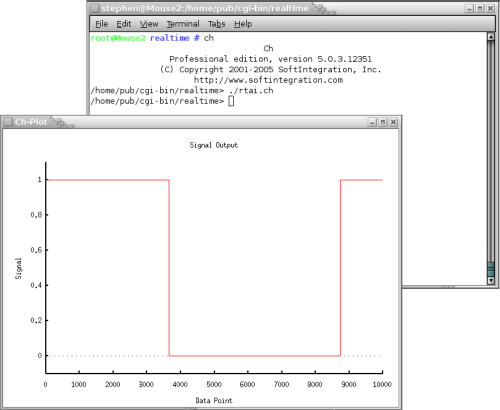
Output from running the console real-time application from the command line.
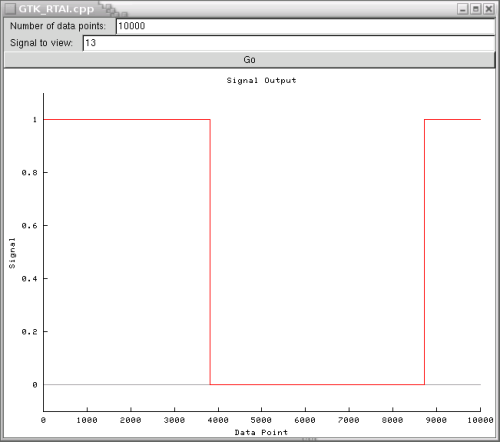
Output from running the GTK+ Graphical User Interface version of the real-time application.
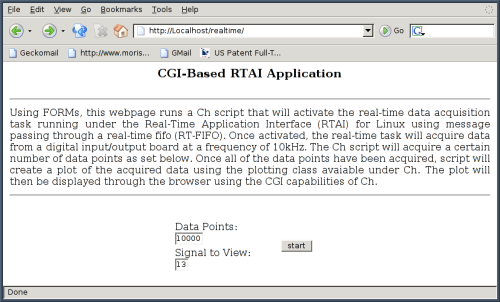
Input of the Web-Based User Inteface version of the real-time application.
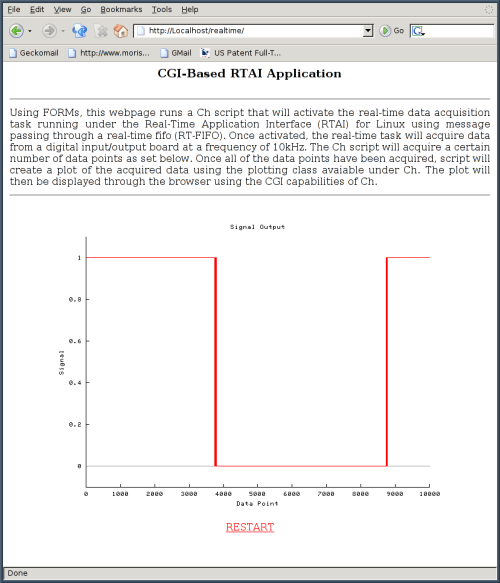
Output from running the Web-Based User Inteface version of the real-time application.